GTA 6 spoiler protection: goals and progressive hints
Planning your next session should leave room for discovery. Here is how to separate what you want to do from the details you would rather find out for yourself.
Write a goal that leaves the surprise intact
A title such as “Explore a new area” gives you a direction without revealing a mission or reward. Add a category and an estimated duration: these are enough to start planning.
Hide goal titles you consider sensitive
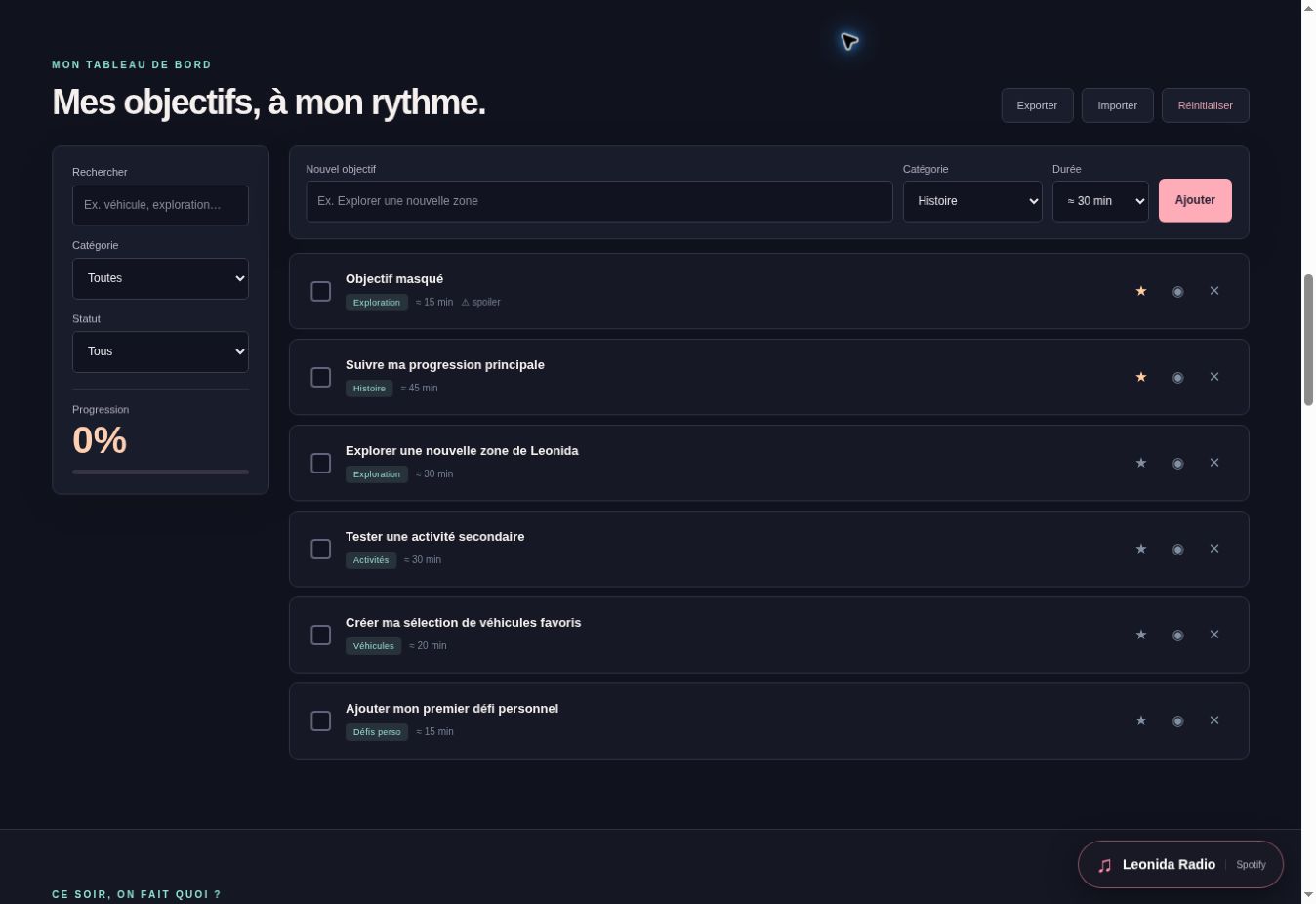
Use the sensitive-content button on a goal in your tracker and keep spoiler protection on. Its title is hidden in the tracker and the proposed session; its category and duration remain visible. The filter does not automatically classify your goals.
Keep different levels of hints in your notebook
Under “Secrets & easter eggs”, create an entry with a discreet title, a first hint, an optional second hint and a location. Start with the first hint and decide when to reveal more. A personal entry is a note you write, not a discovery verified by the site.
Plan a route without opening every answer
“My discovery routes” groups notebook entries by region and available time. Locations stay inside the entries, so you can plan your steps without revealing all their details. Routes do not calculate travel times or distances.
Write down where to pick up next time
“Resume my game” saves a reminder note and your next step. With spoiler protection on, the note stays hidden until you reveal it. Use discreet wording for the linked goal and other fields too: do not assume every piece of text is hidden.
Understand what the protection covers
Leonida Track controls the content you put in your notebook. It does not filter the game, videos, social media or external websites and does not connect to your console. Personal notebooks stay in this browser: export them before switching devices.
Keep a useful objective without showing the answer
Want to keep a lead for later without seeing its detail every time you open the notebook? Try this made-up note, which contains no game information.
- In the GTA 6 tracker, add “Return to my personal lead”, choose Exploration and a 15-minute estimate.
- Use the round ◉ sensitive-content button on that row. With “Spoiler-safe: ON”, the title is hidden.
- Open My session and compose a session. If selected, that objective’s title remains hidden. Its category and duration stay visible.
- To read the title, temporarily turn spoiler protection off, then turn it back on.
Hiding a title does not encrypt your data. Someone with access to your browser or exported file can read it. Do not store confidential information here.
Which hint should you reveal in the secrets notebook?
Write your own hints from broad to precise. This example is a note-taking method, not a real GTA 6 location.
| Level | Personal note | When to open it |
|---|---|---|
| First hint | Think back to my last walk. | When you want a general direction. |
| Second hint | Review the landmarks in my notes. | If the first lead is not enough. |
| Location | My precise directions, filled in after discovery. | When you choose to see the answer. |
Before sharing a lead
A title, category or image may already reveal something. Keep titles discreet and cite a source when submitting a community entry. A submission is separate from your private notebook and requires review before publication.
Start with our method for tracking personal GTA 6 objectives, then prepare a 30-minute session.